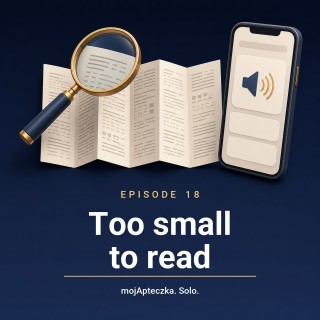
My mum, Irena, is sitting in the kitchen under the lamp.
Download transcript (.vtt)
0:00
0:05
0:12
0:19
0:22
0:26
0:31
0:35
0:41
0:46
0:49
0:53
0:55
0:58
1:01
1:04
1:07
1:10
1:13
1:16
1:17
1:19
1:22
1:24
1:25
1:28
1:30
1:33
1:36
1:39
1:42
1:44
1:47
1:49
1:51
1:54
1:55
1:58
2:00
2:02
2:04
2:05
2:07
2:09
2:10
2:12
2:16
2:17
2:20
2:22
2:24
2:26
2:30
2:34
2:34
2:38
2:42
2:43
2:45
2:47
2:48
2:50
2:53
2:56
2:57
3:00
3:01
3:03
3:04
3:07
3:08
3:09
3:11
3:12
3:13
3:15
3:17
3:18
3:20
3:22
3:24
3:27
3:29
3:30
3:32
3:34
3:37
3:40
3:42
3:44
3:45
3:45
3:48
3:50
3:51
3:53
3:55
3:57
4:00
4:01
4:02
4:05
4:06
4:07
4:08
4:11
4:12
4:14
4:15
4:17
4:18
4:20
4:21
4:22
4:23
4:25
4:27
4:30
4:31
4:34
4:35
4:37
4:39
4:40
4:41
4:44
4:48
4:50
4:51
4:54
4:56
4:58
5:01
5:02
5:03
5:06
5:08
5:10
5:11
5:12
5:15
5:16
5:18
5:20
5:21
5:23
5:25
5:28
5:29
5:31
5:32
5:34
5:36
5:37
5:40
5:42
5:43
5:45
5:47
5:47
5:50
5:52
5:54
5:55
5:57
5:59
6:00
6:01
6:02
6:03
6:06
6:08
6:10
6:11
6:13
6:15
6:15
6:18
6:21
6:24
6:25
6:27
6:31
6:32
6:34
6:35
6:38
6:39
6:40
6:42
6:43
6:45
6:46
6:49
6:52
6:55
6:56
6:57
6:58
7:00
7:03
7:03
7:06
7:08
7:10
7:14
7:16
7:18
7:20
7:23
7:26
7:27
7:30
7:32
7:33
7:35
7:37
7:39
7:40
7:42
7:43
7:45
7:46
7:48
7:49
7:51
7:54
7:56
7:58
7:59
8:01
8:02
8:04
8:06
8:07
8:09
8:10
8:11
8:12
8:14
8:15
8:16
8:18
8:20
8:20
8:21
8:23
8:24
8:26
8:28
8:30
8:32
8:34
8:38
8:42
8:44
8:45
8:47
8:49
8:50
8:51
8:53
8:54
8:56
8:58
9:00
9:02
9:04
9:06
9:08
9:11
9:12
9:14
9:17
9:20
9:22
9:25
9:26
9:29
9:33
9:36
9:38
9:40
9:43
9:46
9:48
9:51
9:54
9:56
9:58
10:00
10:02
10:05
10:07
10:10
10:14
10:16
10:17
10:21
10:22
10:25
10:29
10:31
10:35
10:36
10:39
10:42
10:45
10:48
10:50
10:51
10:53
10:55
10:58
11:02
11:07
11:09
11:13
11:14
11:16
11:19
11:23
11:24
11:25
11:27
11:30
11:33
11:36
11:38
11:40
11:43
11:45
11:48
11:50
11:52
11:55
11:57
12:00
12:01
12:04
12:09
12:16
12:23
12:25
12:26
In front of her, a new box and that leaflet, folded up like a concertina.
She gets the magnifying glass out, moves it closer, moves it away,
puts a second pair of glasses on over the first,
and then she puts the leaflet down on the worktop and says,
Right, I'll take it the way I always have.
Hello, I'm Tomasz Schuster. I built the Moje Pteczka app.
And what Isa's just described is a moment hardly anybody says out loud.
Because it isn't a story about my mum not understanding something.
No, she'd manage the understanding perfectly well.
It's a story about her physically not being able to see it.
That's not a barrier of knowledge.
That's a barrier of eyesight.
And honestly, I don't blame her.
That print is microscopic.
And here's the first thing I want to say today,
because it settles everything that follows.
A phone reads text.
A phone doesn't read paper.
Hang on.
Then make it read it to her.
I take a photo of the leaflet.
The phone reads it out.
Problem solved.
That's the most common bit of advice people give each other.
And it doesn't work.
What do you mean, it doesn't work?
Because to a phone, a photo of a leaflet isn't text.
It's a picture with letters in it.
But a phone can recognise text in a photo.
I've done that with a receipt.
It can, and that's a fair point.
Newer phones do recognise text in a photo,
and you can lift it out of there.
Only, try it on a leaflet.
Meaning?
Three pages of dense print, two columns,
paper you can see through.
The recognition will lose a chunk,
glue the columns together,
skip a heading.
For a receipt, that'll do.
For something where you want to be certain
nothing's dropped out,
it isn't enough.
So all those read-the-screen features on the phone?
Work brilliantly.
But only on text the phone is handed as text.
Over a photograph of paper,
they simply go quiet.
It's absurd, isn't it?
I've got a device in my pocket that can do anything,
and it won't read Gran a bit of paper out of a box.
Precisely.
And that's why the whole thing comes down to one question.
Where do you get that content as text?
There are four routes.
I'll be straight about each one,
including where it runs out.
Go on.
First, a magnifier.
The camera, the torch, and the zoom.
Together, they make a better magnifier than a glass one,
because it lights the page as well,
and it can push up the contrast.
Mum does that.
Is that wrong, then?
No, it's very good.
Only a magnifier shows.
It doesn't speak.
Both hands are busy.
For checking one thing,
a date on a box, say,
it's perfect.
For three pages of small print,
it's a slog.
Second?
Second, the same leaflet,
but as a file from an official register,
because the leaflet you're holding in your hand
is also published as a document you can download.
So the same thing,
only on a screen?
The same content,
but a completely different medium.
And that's the difference that changes everything,
because a file you can enlarge without it going blurry.
And if there's real text inside it,
the phone can read it aloud.
If.
If.
I don't much like that if.
Quite right, too.
Because some of those documents
are really just pictures of the pages.
Scans.
And then the reader has nothing to read.
And how am I meant to know which is which?
You open the file,
turn on the search,
and type in any word you can see on the screen.
Finds it?
It's text.
Doesn't find it,
and you can't select a single word with your finger.
It's a scan,
and that route's closed to you.
Right.
That's something concrete.
Third route.
The phone reading the screen itself.
Built in.
You don't need an app for it at all.
On an iPhone,
you switch it on in the accessibility settings
under spoken content.
Then you swipe down from the top of the screen
with two fingers,
and the phone reads out what's in front of you.
And on Android?
Also in accessibility,
only every manufacturer calls it
something slightly different.
You're looking for the feature
that reads selected text aloud.
I've seen something in there called talkback.
And here I have to warn you,
because this is a trap
an awful lot of people fall into.
Talkback isn't reading text out.
It's a full screen reader
for people who can't see the screen at all.
Meaning?
Meaning that once it's on,
the whole way you use the phone changes.
One tap doesn't tap anymore.
It selects.
To tap,
you have to touch twice.
So Gran switches it on in good faith,
and...
And the phone stops doing as it's told,
and she doesn't know how to turn it off.
I've seen it happen.
If you can see the print,
and it's simply too small,
talkback isn't what you're after.
Good thing you've said that,
because I'd have switched it on for her.
I know.
We all would.
And the fourth route.
The pharmacist.
The oldest technology in the world.
And the only one where somebody
will not just read it,
but can explain it.
No app does that.
Mine doesn't either.
But let's not kid ourselves.
It rather depends whether there's
half the street queuing behind you.
It does.
How far that conversation goes
depends on the pharmacy,
the time of day,
the queue,
which is why it's worth turning up
with a specific question
and with a list of the medicines.
Then the conversation is shorter,
and you get more out of it.
Right then.
And where does your app come into all this?
At the end of that queue,
not the start.
And now I'm going to say something
it would be easy to keep quiet about.
And keeping quiet would be dishonest.
Go on.
The Moya Potechka app
does not read the leaflet aloud.
Hang on.
A whole episode about the small print
on a leaflet,
and your app doesn't read it.
It doesn't.
All it does with the leaflet
is open it,
as a link to the official register
in the browser.
What it reads aloud
is the Summary of Product Characteristics,
SMPC for short.
And that's something other than the leaflet?
It's a different document.
An official one,
about the same medicine,
covering the same ground,
but written for doctors and pharmacists,
not for you.
So you swap the document over
and tell me you've solved Gran's problem?
I knew you'd say that.
And that's exactly the charge I put to myself.
And what did you tell yourself?
That I have to say it plainly,
instead of hoping nobody notices.
The Summary is a harder text.
I'm not pretending it's an easier one.
Hearing it read aloud
doesn't make it any simpler.
So why listen to it at all?
Because in the app,
it's text,
not a sheet of paper.
And text you can enlarge,
translate,
and have read aloud.
Paper you can't.
That's the whole advantage.
One thing,
but a fundamental one.
All right.
That's an honest way of putting it.
How it works in practice.
On the medicine's documentation screen,
there's a speaker button.
One tap,
and the phone reads the name of the medicine,
and then the sections,
one after another.
The same button stops it,
and starts it again.
How many sections are there?
Nine.
Indications,
dosage,
contraindications,
warnings,
interactions,
pregnancy and breastfeeding,
side effects,
overdose,
and storage.
That's a lot of listening.
Which is why,
if you expand particular sections,
you'll hear only those.
And if you don't expand any of them,
the app reads out all the sections it has.
What about the internet?
Because the signal at my mum's can be hit and miss.
The voice itself comes from the speech engine in the phone.
Nothing goes off to the network.
The documentation, though,
has to sync once.
After that first sync,
you can listen to it in flight mode,
if you like.
Does it cost anything?
No.
It works on the free plan.
Now tell me what it doesn't do,
because I know you,
and I know you've got a list.
I have.
It doesn't summarise,
and it doesn't simplify.
It reads the official text word for word.
It doesn't put it into plain English,
and it doesn't shorten it,
because shortening is where twisting the content begins.
It doesn't advise.
It doesn't advise.
It won't judge whether this medicine is right for you,
it won't pick a dose,
and it won't tell you whether you can take it alongside something else.
That's what the GP and the pharmacist are for.
And if somebody can't see at all...
And here I'll say something you don't normally say on a podcast
about your own product.
I haven't been through this whole path with a blind person,
from adding a medicine through the documentation
to listening to a section.
I know the button has state descriptions,
and that the speed and the voice come from the phone's system settings.
But I haven't tested the whole path,
and I'm not going to pretend I have.
Right.
That does sound honest.
If somebody uses a screen reader and something falls over,
please get in touch.
It genuinely would change the order I work on things.
There's one more situation that looks just the same,
and has nothing to do with eyesight.
Go on.
The lady who helps with my mum speaks Ukrainian.
Mum doesn't.
And the medicine's documentation isn't in Ukrainian.
A section can be translated, on the device itself,
into one of three languages,
English, Ukrainian or Russian.
And once a section is translated,
the voice switches to the language you can see on the screen.
So she hears what she sees.
That's the rule, and there's no exception to it.
The app reads exactly what's on the screen.
You're looking at the original,
you hear the original.
You're looking at the translation,
you hear the translation.
You'll never hear content you can't see.
You know what the saddest part of all this is?
That for years, my mum simply took them the way she'd always taken them.
Not because she didn't care.
Only because the bit of paper was too small.
Yes.
And that's the nub of it.
The small print isn't going anywhere.
But it isn't the only form this content exists in.
There's the leaflet.
There's the file.
There's the official summary.
And there's a person behind the counter.
You only need one of those routes to be open to you.
If you'd like to give it a go,
that's the Moya Potechka app.
The app is free and works offline.
You'll find the link in the episode description.
And if you enjoyed the episode,
share it with someone who's sitting in the kitchen under a lamp,
fighting with a magnifying glass.
It is funny, though.
A whole episode about reading aloud,
told by two voices that...
That's exactly where I was going.
One more thing before we go.
This podcast is made with the help of artificial intelligence.
I wrote the dialogue myself, but the voices you're hearing aren't ours.
They're AI-generated synthetic voices. We're telling you this straight out,
because we think it should be the standard for any podcast made this way.
Full details are in the show notes and in every episode description.
Until next time.
Until next time.